Aug 21 2010

Cupcake Gift Card Holder

Published by under 3D Projects,Cards,Stampin'

Create this playful project to help celebrate the birthday of a cherished one and take up the birthday mirth a notch or two.
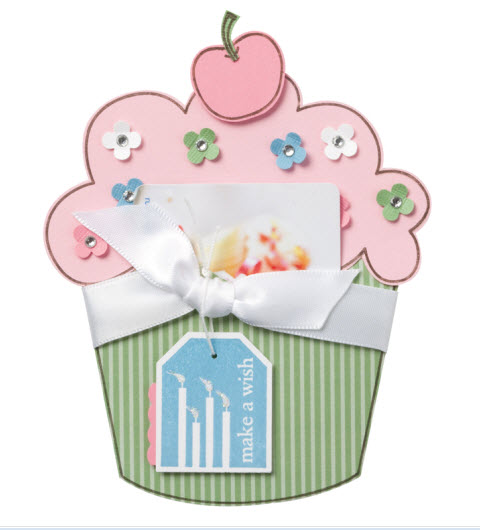
Stamps: Birthday Bliss, Simple Birthday Thanks
Paper: Pretty In Pink, Whisper White, 12×12 Textured Cardstock – Brights Collection, 12×12 Textured Cardstock – Subtles Collection
Ink: Marina Mist, Early Espresso Marker
Accessories: Whisper White 5/8 inch satin ribbon, basic rhinestones jewel accents, Dazzling Diamonds stampin glitter, Dotted Scallop Ribbon border punch, 1/16 handheld circle punch, itty bitty shapes punch, stampin dimensionals

Purchase everything you need to create this project by clicking here. Project and image © 2010 Stampin’ Up!®
No responses yet

Aug 08 2010

Paper Daisies Digital Kit

I’m having fun playing around with My Digital Studio today. Last night I purchased the Paper Daisies digital kit and I can’t stop playing with them! One thing I love about MDS is being able to download new SU! goodies within minutes…instant gratification. I’ve added the daisy I created to my new blog header and matching buttons. What do you think?

You can purchase the Paper Daisies digital kit in my Stampin’ Up! store. Just search for item #121432. They are only $3.95 and include four different sizes. You’ll notice I’ve added color to each layer. Here’s a step-by-step tutorial to get that look:

    Step 1: In the Design Center window, click on embellishments > add embellishment
    Step 2: Click on Paper Daisies under the category list
    Step 3: In the Preview Window, click Paper Daises – flower 1 and click the Apply button
    Step 4: Repeat step 3 for each flower
    Step 5: Close the embellishment window and you should see all four flowers layered on your project. The smallest one will be selected.
    Step 6: In the Design Center window, click on Drop Shadow. Change Opacity to 100% and Blur to Full. In the preview window, use your mouse to click and drag the shadow so it’s centered under the daisy. To add color, click on the Change button. Make a color selection, I chose Rose Red. Click the OK button.
    Step 7: Repeat step 6 for each flower layer except the bottom one.

I also added a brad in the middle. To do this, repeat steps 1 thru 3 except choose Brads from the category list. Click and drag it to the center of your flower. Once you have your flower finished, you can group all the layers together and then you can move the whole flower around on your project without having to re-assemble it. To do a grouping follow these steps:

    Click on the brad to select it. Hold down the Ctrl key and click on all the remaining layers. Press Ctrl-G. All layers are now grouped.

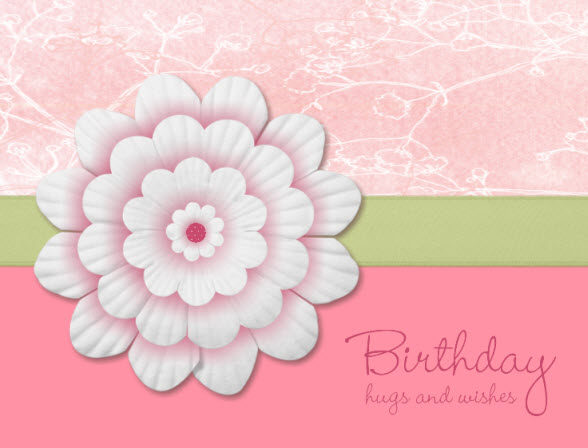
I also created a birthday card. I switched out the brad for a circle filled with DSP…

paperdaisycard100808b.jpg

Stamp Brush Set: Hugs & Wishes
Paper: Shades of Spring (Pattern 4) DSP, Rose Red Small Polka Dot (center of flower), Regal Rose
Ink: Rose Red
Accessories: Paper Daisies Digital Kit, Certainly Celery Satin Ribbon

2 responses so far

Aug 05 2010

Let It Snow Card

Published by under Cards

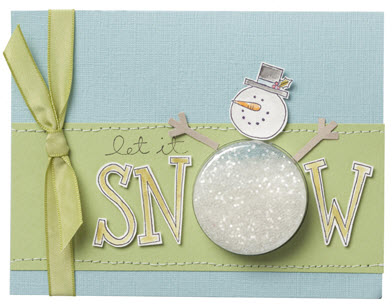
A Sweet Treat cup filled with snow-like Chunky Stampin’ Up!® Glitter isn’t the only charming and unique feature of this card. The snowman’s arms were created with ease using the Snowflake punch–simply punch out one snowflake, then trim the edges to create sticks.

Stamps: Big On Christmas
Paper: Confetti White, Crumb Cake, Pear Pizzazz, 12×12 Textured Cardstock: Subtles Collection
Ink: Baha Breeze, Basic Black, Basic Gray, Old Olive, Pear Pizzazz, Pumpkin Pie, Real Red
Accessories: Chunky Essentials Stampin’ Glitter, Old Olive 3/8 Inch Taffeta Ribbon, Sweet Treat Cups, Stampin’ Dimensionals, Aqua Painter, Snowflake Punch, 1 3/4 Circle Punch, Paper Piercer, Matt Pack

Purchase everything you need to create this project by clicking here. Project and image © 2010 Stampin’ Up!®
One response so far

Aug 01 2010

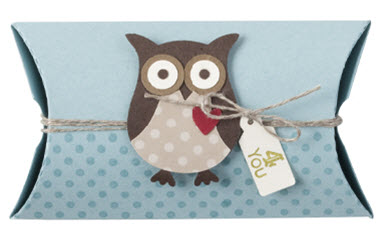
4 You Pillow Box

Published by under 3D Projects,Stampin'

Stamps: Dot, Dot, Dot; Tiny Tags
Paper: Baja Breeze, Cherry Cobbler, Early Espresso, Soft Suede, Very Vanilla, Neutrals Patterns DSP
Ink: Baja Breeze, Old Olive
Accessories: Linen Thread, Stampin’ Dimensionals, Jewelry Tag Punch, Two-Step Owl Punch, Big Shot, Pillow Box Bigz Die

Purchase everything you need to create this project by clicking the “shop online now” button.
Project and image © 2010 Stampin’ Up!®
No responses yet

Jul 26 2010

Friends Fur-ever & Cheep Talkin’ Owls

Published by under Cards

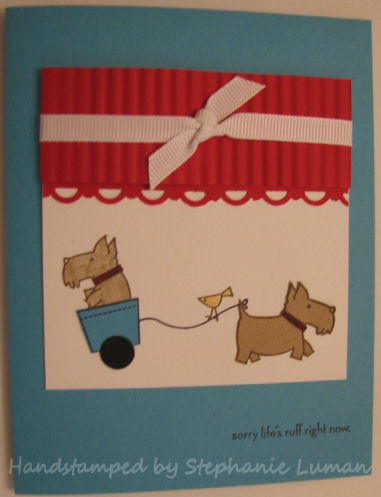
I’m playing with all my goodies from the new catalog. I just love the Friends Fur-ever set…those puppies are so cute! Here’s the card I created with them. Not my usual style or colors but I think I like it:

Stamps: Friends Fur-ever
Paper: Tempting Turquoise, Real Red, Whisper White, Crumb Cake, Basic Black
Ink: Basic Black, Chocolate Chip, Crumb Cake, Daffodil Delight
Accessories: Whisper White Grosgrain Ribbon, Crimper, Scallop Trim Border Punch, Stamp-a-ma-jig

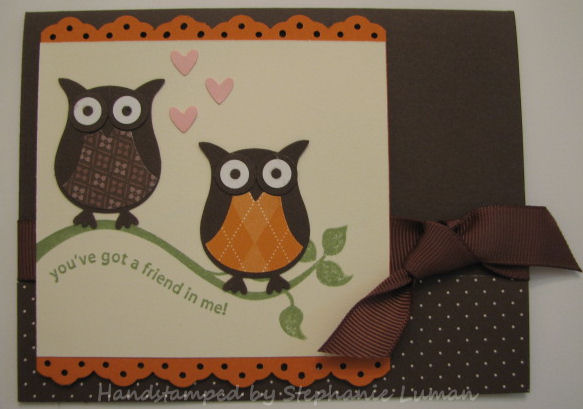
Here’s a card I made with the new Owl punch…I can tell I’m going to have a serious addiction with that one! It goes perfectly with the Cheep Talk stamp set.

Stamps: Cheep Talk
Paper: Chocolate Chip, Pumpkin Pie, Very Vanilla, Whisper White, Pretty In Pink, Chocolate Chip DSP, Pumpkin Pie DSP
Ink: Certainly Celery
Accessories: 2-Step Owl Punch, 5/8 inch Grosgrain Ribbon, Eyelet Border Punch

Purchase everything you need to create these projects by clicking the “shop online now” button.

One response so far

Jun 27 2010

Sweet Scoops Celebration

Published by under Cards

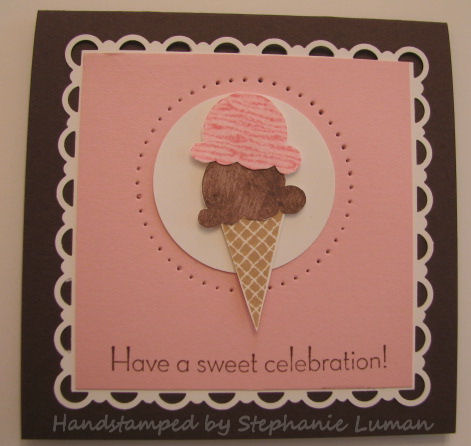
This is one of the cards we made at stamp club today:

sweetscoops100627.jpg

Stamps: Sweet Scoops
Paper: Chocolate Chip, Whisper White, Pretty In Pink
Ink: Chocolate Chip, Regal Rose, Pretty In Pink, Creamy Caramel
Accessories: paper piercing tool, mat pack, stampin dimensionals, 1-3/4” Circle Punch, Scallop Trim border punch
Inspired by: stampingschool.com

Purchase everything you need to create this project by clicking the “shop online now” button. While your there, don’t forget to check out the Last Chance List for retiring items only available until this Wednesday, June 30th!

No responses yet

Jun 13 2010

Elements of Style Card

Published by under Cards

Here is the card I created last night to swap at my team meeting today:

elementsofstyle100613.jpg

Stamps: Elements of Style
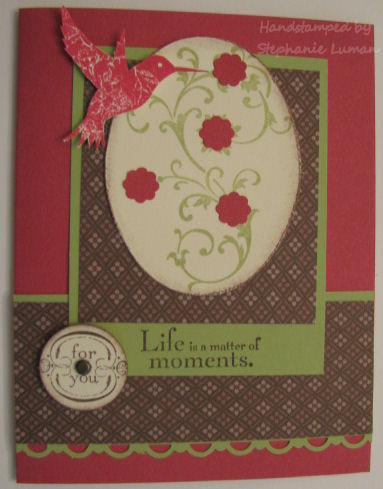
Paper: Rose Red, Certainly Celery, Very Vanilla, Chocolate Chip DSP
Ink: Chocolate Chip, Rose Red, Certainly Celery
Accessories: paper piercing tool, mat pack, stamping sponges, vintage brads, stampin dimensionals, cutter kit, Itty Bitty Shapes punch pack, Scallop Trim border punch

One response so far

May 26 2010

Scallop Trim & Pinking Hearts Punch Measurements

Published by under Stampin'

In my previous post I used the Scallop Trim punches. Some have mentioned difficulties getting the corners and the borders to line up. The trick to perfect alignment starts with specific cardstock measurements. Here are the measurements for both the Scallop Trim and Pinking Hearts punches.

To get a perfect Scallop Trim square use the following measurements:

scallop_trim_guide.png
     1 15/16″ x 1 15/16″
     2 3/8″ x 2 3/8″
     2 7/8″ x 2 7/8″
     3 1/4″ x 3 1/4″
     3 13/16″ x 3 13/16″
     4 1/4″ x 4 1/4″
     4 3/4″ x 4 3/4″


To get a perfect Pinking Hearts square use the following measurements:

pinkingheartspunch2.jpg


     2 7/8″ x 2 7/8″
     3 1/4″ x 3 1/4″
     3 5/8″ x 3 5/8″
     4″ x 4″
     4 3/8″ x 4 3/8″
     4 3/4″ x 4 3/4″


To make rectangles with either set of punches, just combine any sizes mentioned above. For example, to make a Scallop Trim rectangle start with 2 7/8″ x 4 1/4″ cardstock. To make a Pinking Hearts rectangle start with 3 1/4″ x 4 3/8″ cardstock.

The other trick is just practice, practice, practice. It takes practice to get the hang of it but the look is so beautiful that it’s definitely worth it. Have fun playing with your punches!

One response so far

May 24 2010

Stamp Club Projects

Published by under 3D Projects,Stampin'

I had so much fun at stamp club! My group of ladies are hilarious and awesome…I look forward to our gathering every month. Here are the projects we created:

cottage-wall-duo_white.jpg

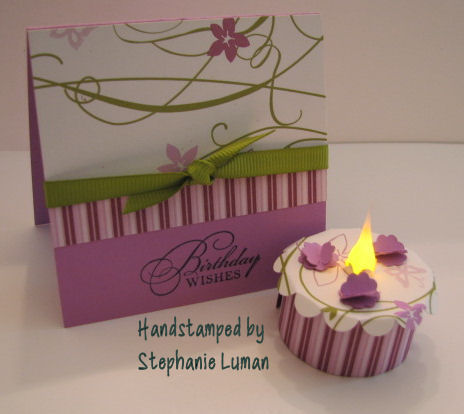
Stamps: Watercolor Trio*
Paper: Orchid Opulence, Cottage Wall DSP
Ink: Basic Black
Accessories: Old Olive grosgrain ribbon, Itty Bitty Shapes punch pack*, scallop circle punch, battery-operated tealight (non SU), paper snips, mat pack, hobby blade, Tombow multi purpose adhesive.

For instructions on making the tealight cake, click here. To make the 3D flowers, punch out two flowers using the flower punch from the Itty Bitty Shapes punch pack. Make one cut with paper snips from outside edge of flower to the center, repeat on other flower. Slide the two flowers together.

————————–

peony-card.jpg

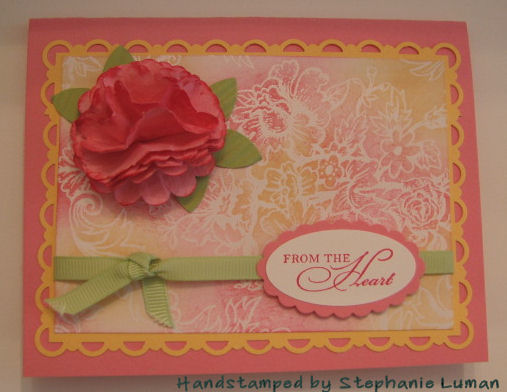
Stamps: Watercolor Trio*
Paper: Regal Rose, Apricot Appeal, Certainly Celery, Whisper White, Specialty DSP
Ink: Regal Rose, Apricot Appeal, Rose Red
Accessories: Certainly Celery grosgrain ribbon, scallop trim border punch, scallop trim corner punch, large oval punch, scallop oval punch, scallop circle punch, 5-petal flower punch, crimper, paper piercing tool, mat pack, stamping sponges, vintage brads, glue dots, stampin dimensionals
Inspired by: LaurieF

*2010 Summer Mini Catalog

Purchase everything you need to create these projects by clicking the “shop online now” button.
Project and image © 2010 Stampin’ Up!®
No responses yet

May 21 2010

A Bit of Magic card

Published by under Cards,Stampin'

Fairy dust and flowers make up a young girl’s fantasies. And so will this magical card that dares a child—or adult—to remember that “there is a bit of magic in everything.”

fairycard.jpg

Stamps: A Little Bit of Magic, Woodgrain Background
Paper: Confetti White, Chocolate Chip, Kraft, Earth Elements 12×12 Textured, InColor 12×12 Textured
Ink: Apricot Appeal, Chocolate Chip, Old Olive, Rich Razzleberry, Jet Black Stazon
Accessories: Old Olive grosgrain ribbon, Scallop Edge punch, Vintage brads, Aqua painter

Purchase everything you need to create this project by clicking the “shop online now” button.
Project and image © 2010 Stampin’ Up!®
No responses yet

« Newer Entries - Older Entries »